Arrows
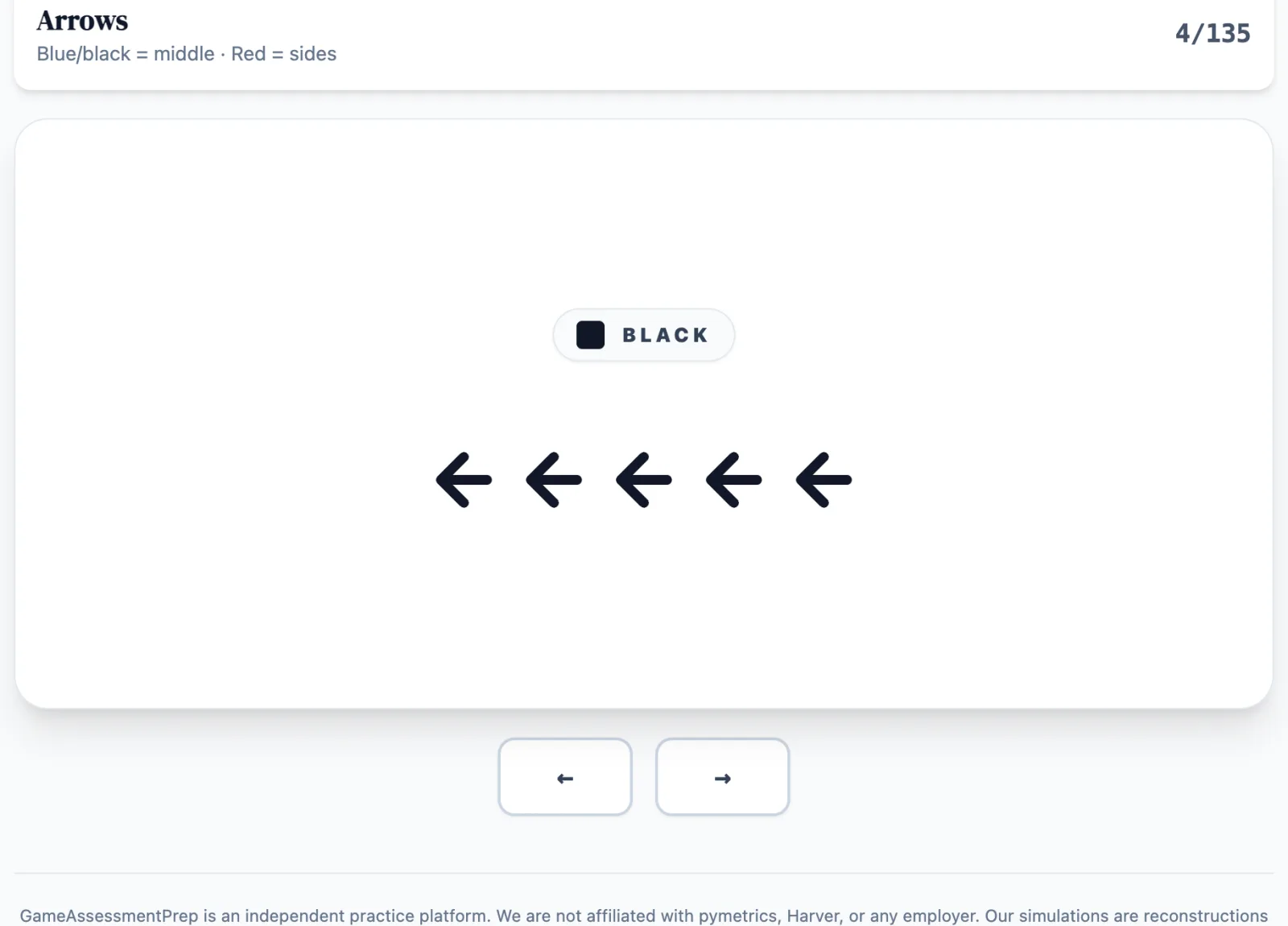
The pymetrics (Harver) Arrows game combines a five-arrow flanker task with a color-cued rule switch. Accuracy and reaction time reveal how consistently you resolve distraction when the active rule changes.
Create an account to save your results. A pymetrics pass includes unlimited replays. All results stay free.
Updated
How to play
Five arrows appear together. If the set is BLUE or BLACK, respond to the MIDDLE arrow’s direction.
If the set is RED, respond to the SIDE arrows’ direction.
Press the Left or Right Arrow key before the set changes. The arrows may agree or point in conflicting directions.
The color name and a distinct shape stay beside every set so the rule cue never depends on hue alone. Touch devices use left/right half-width buttons.
In the real assessment
The real assessment is not documented as showing correctness feedback. This practice version flashes ✓ or ✕ after each answer; the reported 135-trial random rule-switch format is reconstructed from detailed candidate sources.
Skills assessed
Create an account to save your results. A pymetrics pass includes unlimited replays. All results stay free.
Score improvement across practice attempts
Across our matched practice data, the median candidate improves their score by +14% between their first and fifth practice attempt on a game — with no employer ever seeing practice data.
Read the full methodologyMedian pymetrics score lift by practice attempt
Median paired change vs. first attempt on scored pymetrics practice games. Observed practice association — not a hiring-outcome guarantee.
Arrows practice guide
Read the rules, scoring context and practice strategies for this game.
Read the Arrows guideGameAssessmentPrep is an independent practice platform. We are not affiliated with pymetrics, Harver, or any employer. Our simulations are reconstructions for practice purposes.